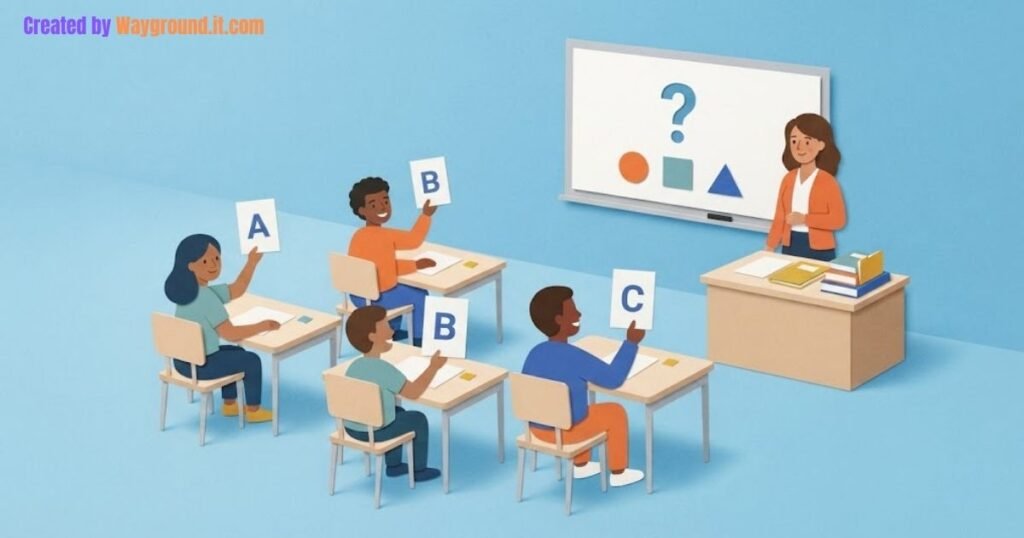


Digital citizenship games for middle school work best when students must make a decision, explain its consequences, and try a better response. Use a photo-sharing challenge for consent, a suspicious-message game for account safety, and a group-chat scenario for respectful communication. Follow each round with a short discussion about what students would actually do.
Below are four original classroom activities and one established online game. Each addresses a different decision students may face when learning, playing, or communicating online.
The classroom scenarios are fictional. Use the supplied examples rather than asking students to reveal private messages, passwords, or personal experiences.
Which game fits your lesson?
Choose the game around one behavior you want students to practice. Checking a message, asking permission, and supporting someone in a group chat require different decisions. You can teach each activity separately, using paper cards and discussion, or select one online option when students have suitable devices.
| Game | Main decision | What you need |
|---|---|---|
| Permission Switch | Can I share this with a new audience? | Scenario and audience cards |
| Message Checkpoint | How should I verify this request? | Printed message and action cards |
| Group-Chat Fork | How can I help without spreading harm? | Scenario and response cards |
| Evidence Budget | Which checks will settle this claim? | Fictional source cards |
| Digital Compass | How might my choices affect others? | Desktop or laptop browser |
These activities cover parts of digital citizenship, including privacy, relationships, security, and information literacy. They are starting points, not a complete curriculum.
How do you play the four classroom games?
Give students a specific situation and a small set of choices. Ask them to commit to an answer before discussing it with a partner. Then introduce new information that makes them reconsider. The useful moment is the explanation: what changed, who might be affected, and which action makes sense now?
1. Permission Switch: does permission travel?
Goal: Recognize that permission for one audience does not automatically cover another.
Scenario card:
Maya agrees to have a science-project photo placed in the private class slideshow. Later, a teammate wants to post it on a public club account. Maya has not been asked about the public post.
Give pairs three audience cards: private class slideshow, public club account, and personal group chat.
- Students place each audience under “permission given” or “ask first.”
- They explain the difference between the audiences.
- Reveal a twist: Maya agrees to the club post, but another student is also visible.
- Students revise the plan.
Expected response: Permission covers the class slideshow described in the scenario. The teammate should ask Maya before sharing elsewhere and address the other student’s permission before posting the group photo.
School rules and applicable parent permissions still govern school publishing. A student’s agreement alone may not satisfy those requirements.
Win condition: Produce a sharing plan that accounts for everyone pictured and the intended audience.
Debrief: “What changed when the audience changed?” Common Sense Education’s digital dilemmas resources provide further discussion material about decisions in digital life.
2. Message Checkpoint: verify without taking the bait
Goal: Choose a safe verification route instead of judging a message by its appearance.
Message card:
Your school game account will close in 10 minutes. Use this link and enter your password to keep your progress.
Do not include a working link. Offer three action cards:
- A: Follow the message link immediately.
- B: Reply and ask whether the sender is really support.
- C: Open the usual school-approved app or saved portal independently and ask the teacher to help check.
- Students select an action and explain it.
- Ask them to identify the urgency and request for credentials.
- Reveal that the message has perfect spelling and a familiar logo.
- Students decide whether that changes their choice.
Expected response: C. The message’s appearance does not establish who sent it. Replying to the same sender does not independently verify the request.
The FTC’s phishing guidance recommends avoiding links in unexpected messages and contacting organizations through a channel you already know is genuine.
Win condition: Identify the questionable request and explain a verification route that does not use it.
Debrief: “What would you check next?” If students ask about an actual password they already entered, handle that privately through the school’s account-recovery process.
3. Group-Chat Fork: help without adding an audience
Goal: Support a classmate without redistributing an embarrassing post.
Scenario card:
Someone posts an embarrassing edited picture of Jordan in a class group chat. Several people add laughing reactions. Jordan asks them to stop.
Give groups three possible next moves:
- Forward the picture to another group to ask what they think.
- Send an angry insult to the person who posted it.
- Stop participating, check on Jordan privately, and seek help from a trusted adult.
- Groups choose a response and explain who it helps.
- Reveal a twist: the picture is posted again after Jordan’s request.
- Groups identify an appropriate adult and reporting route.
- Each group drafts a supportive private message.
Expected response: The third option avoids widening the audience and creates a route to help. A suitable private message is: “I saw what happened. You didn’t deserve that. Do you want me to come with you to talk to a teacher?”
StopBullying.gov’s reporting guidance advises against responding to or forwarding cyberbullying messages and explains preserving evidence for reports.
Win condition: Offer support and a reporting step without sharing the picture more widely.
Debrief: Distinguish showing relevant evidence privately to an adult from circulating it among classmates. Students should not have to resolve harassment through a public confrontation.
4. Evidence Budget: spend your checks wisely
Goal: Choose useful verification steps before repeating a claim.
Explain that every name and notice in this activity is fictional.
Claim card:
A screenshot says Brookfield Middle School’s Friday trip has been canceled. It shows the school logo, but the date is cropped out.
Give each team two checking tokens. Each token opens one evidence envelope:
- Envelope A — Reactions: Forty classmates have shared the screenshot.
- Envelope B — Full notice: The screenshot came from a notice dated last school year.
- Envelope C — Current trip information: A teacher-issued update for this Friday confirms the departure time.
- Envelope D — Appearance: The logo and colors match the school website.
- Teams select two envelopes.
- They classify the claim as supported, contradicted, or still unverified.
- They explain what their evidence actually establishes.
- Reveal all envelopes and compare the usefulness of each check.
Expected response: B and C offer the strongest combination. The old screenshot does not establish a current cancellation, and the current teacher update contradicts that interpretation.
A team choosing only A and D should say “still unverified.” Sharing counts and branding do not settle the claim.
Win condition: Reach a conclusion supported by the evidence opened, even if that conclusion is uncertainty.
Debrief: For unfamiliar websites, extend the activity with Digital Inquiry Group’s lateral-reading guidance: leave the original source and investigate what trusted sources say about it.
Which online game is designed for middle school?
Digital Compass is an established option specifically designed for grades 6–8. Common Sense Education describes it as a choose-your-own-path experience in which students explore digital citizenship dilemmas through different characters. Use it when you want branching stories, then discuss a decision rather than treating completion as the whole lesson.
5. Digital Compass: replay a decision
The official Digital Compass page lists eight main characters and multiple decision paths. It specifies desktop or laptop web browsers; plan around that device requirement.
- Preview a storyline and check access on your school network.
- Ask students to note one decision and its consequence.
- Have them explore an alternative choice where the story allows.
- Discuss which consequence they expected and which surprised them.
A useful response prompt is: “My first choice was ___. It affected ___. A better next step would be ___ because ___.”
Check the educator guide and school requirements before assigning the game. This is a resource recommendation based on its official description, not a report of classroom testing.
How do you keep the lesson useful and comfortable?
Keep discussion centered on the fictional characters and their available choices. Students can explain a response without disclosing something that happened to them. Avoid asking classmates to act out cruelty or read insults aloud. Offer a written response when public discussion would make participation uncomfortable.
Start with one game in a 15–20-minute lesson. Reserve time to compare explanations and name a practical next step.
For pair work, alternate the decision-maker and the person who checks consequences. Our cooperative classroom games guide includes additional participation structures.
If you turn scenarios into a classroom quiz, allow discussion after the choices. Some situations need context; a multiple-choice score alone cannot show how a student will respond outside class.
What do teachers ask before starting?
Can these games work without student devices?
Yes. The first four activities use paper scenarios and evidence cards. You can read instructions aloud or project them. Digital Compass is the separate online option and requires a suitable computer browser.
How should you score the activities?
Award credit for a defensible action and a relevant explanation. In Evidence Budget, recognizing uncertainty can be correct. Avoid rewarding confident guesses or making sensitive interpersonal decisions into a speed contest.
What if a student mentions a real incident?
Thank them for speaking up and arrange a private conversation. Follow your school’s safeguarding and reporting procedures. Do not investigate the incident through a class discussion or promise secrecy you cannot maintain.
Choose the activity that matches your students’ next decision: sharing a picture, opening a message, responding to a group chat, or checking a claim. Finish by asking them to name one action they could take and one person or source they could turn to for help.