
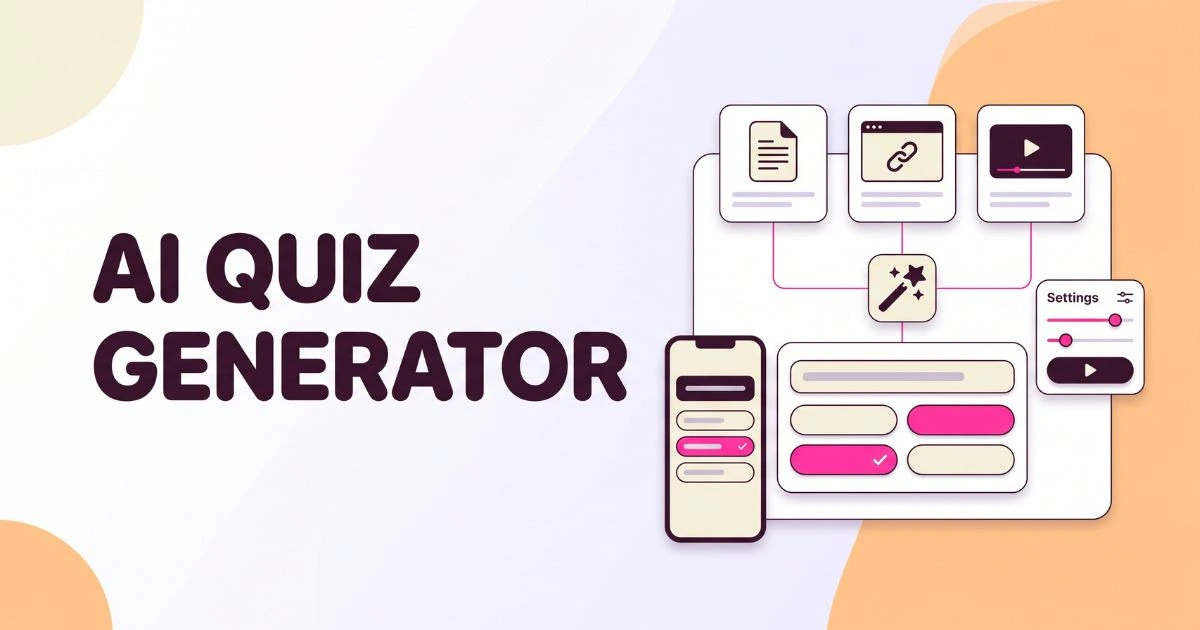
The Wayground AI Quiz Generator turns a prompt, document, webpage, YouTube video, curriculum, or worksheet image into an editable assessment. A teacher chooses the grade, subject, question count, and other preferences, reviews the generated questions, then publishes the quiz for live play or homework.
That workflow can save drafting time, but it does not remove the need for teacher judgment. This independent guide explains the current 2026 process, which source option to choose, how to write a useful prompt, and what to check before students see the questions. Wayground did not sponsor this article.
What is the Wayground AI Quiz Generator?
The Wayground AI Quiz Generator is a teacher-facing tool that creates assessment questions from existing material or a written instruction. It produces an editable first draft inside Wayground, where teachers can change question types, answers, media, difficulty, and delivery settings before using the activity with students.
Wayground, formerly Quizizz, says its AI combines GPT-5 with millions of classroom-tested activities. Generation and delivery share one platform, so teachers can draft, revise, assign, and review a quiz without rebuilding it elsewhere.
According to Wayground’s March 2026 help documentation, the tool can generate assessments in six ways:
- A written prompt or pasted text
- A PDF, PPT, PPTX, DOC, DOCX, JPG, or PNG file
- A publicly accessible webpage
- A public YouTube video
- A selected U.S. math or science curriculum
- A photographed worksheet through the mobile app
The draft remains editable. Teachers can replace distractors, change question types, add media, simplify wording, translate content, or generate answer explanations.
The Wayground Basic plan currently includes AI generation at no cost. Storage and question-type limits vary; the Basic help page lists a 20-activity storage limit.
How do you create a quiz with Wayground AI?
To create a quiz, sign in, select Create, choose an Assessment or Quiz, and pick an AI source such as Prompt, Document, Website, or YouTube. Set the grade, subject, language, question count, standard, and depth of knowledge, generate the draft, verify every item, and publish only after correcting errors.
- Sign in to your teacher account. Open Wayground and access the teacher dashboard. Use the login guide if school sign-in fails.
- Select Create, then Assessment or Quiz. Wayground uses both labels in its current question-building workflow.
- Choose the source. Use Prompt for an objective, Document for class material, Website for a public article, or YouTube for a public video. U.S. math and science teachers can also select a curriculum.
- Provide a focused source. Wayground processes the first 16,000 characters of an uploaded file and allows 10,000 characters of pasted text. Remove answer keys, navigation, and unrelated pages.
- Set the preferences. Choose grade, subject, language, question count, standards, and depth of knowledge. Specific settings reduce ambiguity.
- Generate and inspect the questions. Read the stem, every answer choice, and the marked correct answer. Wayground’s own documentation warns that its AI can generate inaccuracies and says, “Please review the content before publishing.” Treat that as a required step, not a disclaimer to skip.
- Edit for your students. Replace weak distractors, remove duplicates, adjust reading load, and add useful explanations. Confirm that simplification or translation preserves the intended academic demand.
- Publish and choose delivery. Save the assessment, then run it live using the hosting guide or assign it with the homework mode guide.
How do teachers get better questions from Wayground AI?
Better questions begin with a narrow learning objective, a trustworthy source, and explicit constraints. Include the grade, subject, standard, number of items, cognitive demand, question mix, and misconceptions to test. Then audit the output against the source instead of judging it by polished wording or attractive formatting.
In my content-quality review, source-grounded requests are easier to verify than a bare topic. A strong prompt defines what students should demonstrate and the factual boundaries.
For example, a U.S. middle-school science teacher could use:
Create eight Grade 7 science questions aligned with NGSS MS-LS1-6. Test how photosynthesis moves matter and transfers energy. Use five multiple-choice, two multi-select, and one short-response item. Use only the uploaded lesson and avoid biochemical pathway details.
This follows the official MS-LS1-6 expectation, which emphasizes matter and energy rather than biochemical mechanisms.
Which AI source should you choose?
| Source method | Best use | Main check before publishing |
|---|---|---|
| Prompt or text | Exit tickets | Check scope, grade, and accuracy |
| Document | Chapters and handouts | Remove keys; check the 16,000-character cutoff |
| Website | Public reference pages | Exclude menus and unrelated text |
| YouTube | Video lesson checks | Match questions to the video |
| Curriculum | U.S. standards alignment | Confirm district sequencing |
| Worksheet image | Printed materials | Check clarity, equations, and OCR |
When I review an AI assessment, I check accuracy, alignment, clarity, fairness, and answerability. Reject items whose source never taught the answer, whose options overlap, or whose reading load hides the measured skill.
The U.S. Department of Education’s AI report calls for inspectable tools and educator judgment. Let AI draft; keep the teacher responsible for the assessment.
What mistakes should you avoid with AI-generated quizzes?
The biggest mistakes are publishing the first draft, using an overly broad prompt, trusting a weak source, and confusing standards labels with genuine alignment. Teachers should also check distractor quality, reading level, bias, accessibility, duplicated questions, and whether the quiz measures recall when the lesson requires explanation or application.
Mistake 1: Using a broad topic. Name the exact skill, grade, standard, evidence expected, and content boundary.
Mistake 2: Uploading an unedited packet. The 16,000-character window may capture a contents page or answer key. Upload the smallest complete source.
Mistake 3: Accepting plausible distractors. Each wrong option must be wrong for a clear content-based reason, not merely less attractive than the key.
Mistake 4: Treating alignment as district approval. Compare the result with local scope, pacing, vocabulary, curriculum maps, and assessment policy.
Mistake 5: Using an AI draft for high-stakes grading. For consequential decisions, require stronger validation, accessible alternatives, and your school’s approved process.
AI does not remove the teacher from quiz design. It shifts the work from typing questions to selecting evidence, checking validity, improving feedback, and fitting the assessment to instruction.
Frequently asked questions
Wayground AI can create quizzes from several source types, but teachers still need to choose the right workflow and verify the result. These answers cover the practical questions users most often ask about cost, files, standards, accuracy, and what students see during an AI-generated assessment.
Is the Wayground AI Quiz Generator free?
Wayground’s current Basic plan lists AI generation among its free teacher features. However, storage, premium question types, and school-level tools can differ by plan or region, so check the official plan page before relying on a specific limit.
Can Wayground AI create a quiz from a PDF?
Yes. Upload a PDF through Create, choose the document-based AI option, set the grade, subject, language, and question count, then generate. Wayground processes one file at a time and currently reads only the first 16,000 characters.
Can it generate questions from a YouTube video?
Yes. Paste or select a public YouTube video, adjust the relevant segment if needed, choose the assessment preferences, and generate. Review each question against the video because captions, unclear audio, or unrelated sections can affect the draft.
Does Wayground AI align quizzes with U.S. standards?
Wayground provides a curriculum-generation route for U.S. math and science and lets teachers set standards in the prompt workflow. Always compare the output with the official standard and your district’s curriculum map before calling an assessment fully aligned.
Should teachers trust every AI-generated answer?
No. Wayground acknowledges that generated content can contain inaccuracies. Verify the correct answer, distractors, source support, reading level, and accessibility before publishing, especially when the quiz will affect grades, placement, interventions, or communication with families.
Conclusion
The Wayground AI Quiz Generator is most useful as a fast first-draft tool, not an automatic assessment authority. Start with a focused source, specify the learning target and grade, generate a manageable question set, and review every answer before choosing live play or homework delivery.
For a first attempt, use one lesson objective and create six to eight low-stakes questions. After revising the draft, preview it as a student, publish it, and choose the appropriate Wayground game mode for your class.